Policy Configuration Guide
Introduction to Policy-Based Access Control
Authnull uses a policy-based approach where access is denied by default and must be explicitly permitted via policies, aligning with the Principle of Least Privilege.
Creating Policies
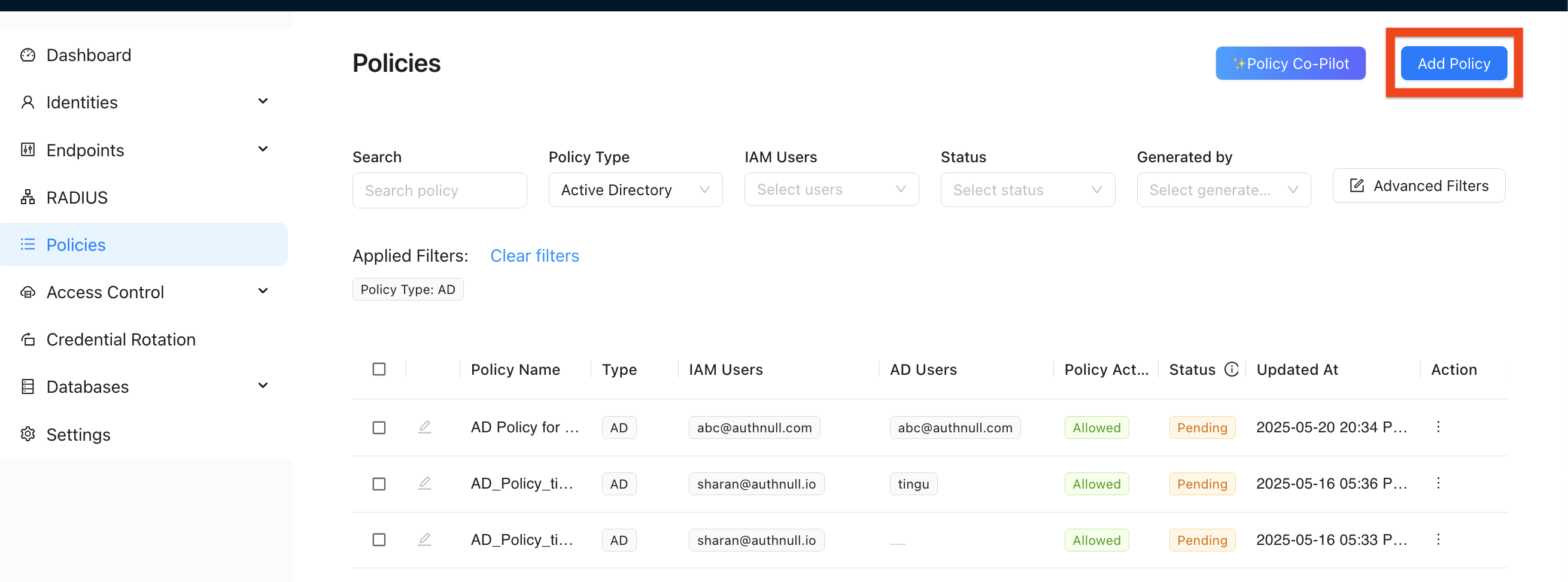
Initiating Policy Creation
-
From Policies Section:
- Navigate to "Policies" in the sidebar
- Click "+ Add Policy"
-
From Database Details:
- When viewing database details
- Click "Grant Access"
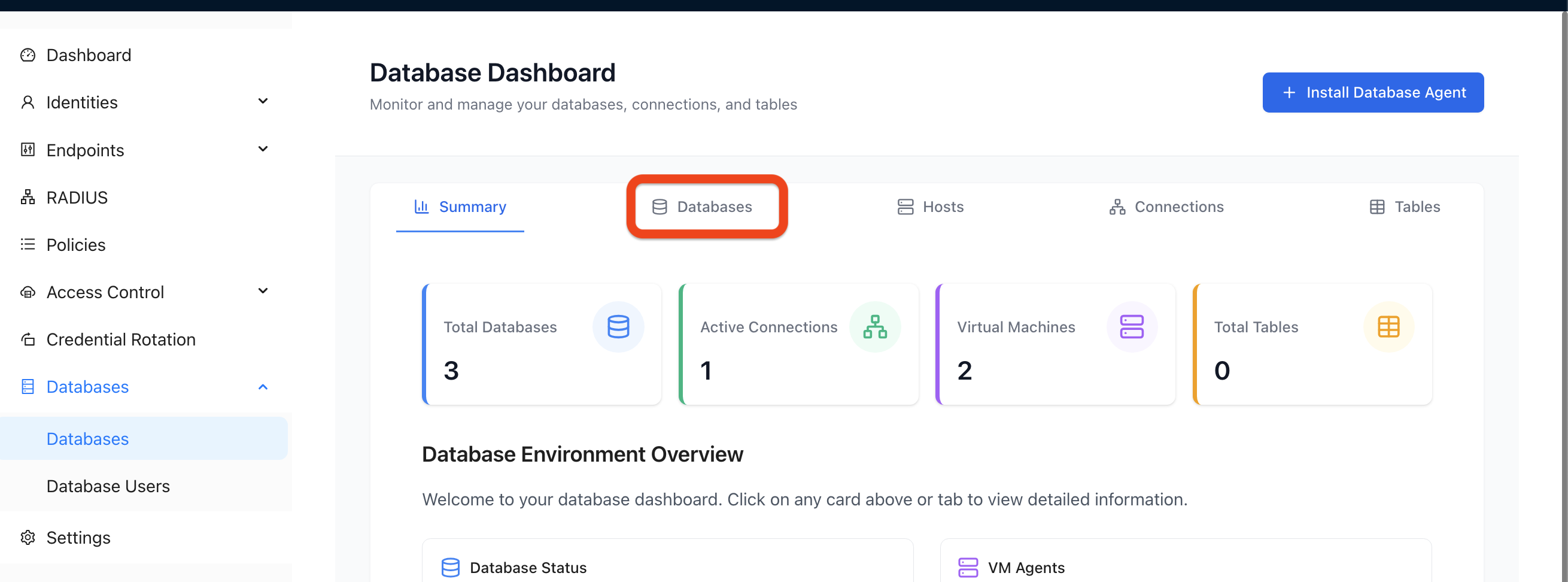
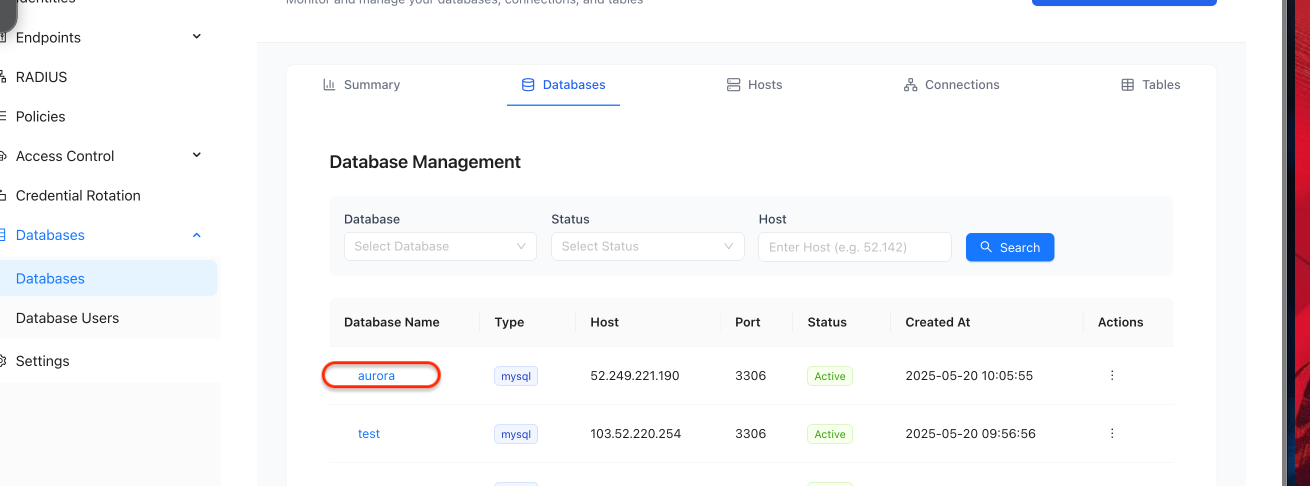
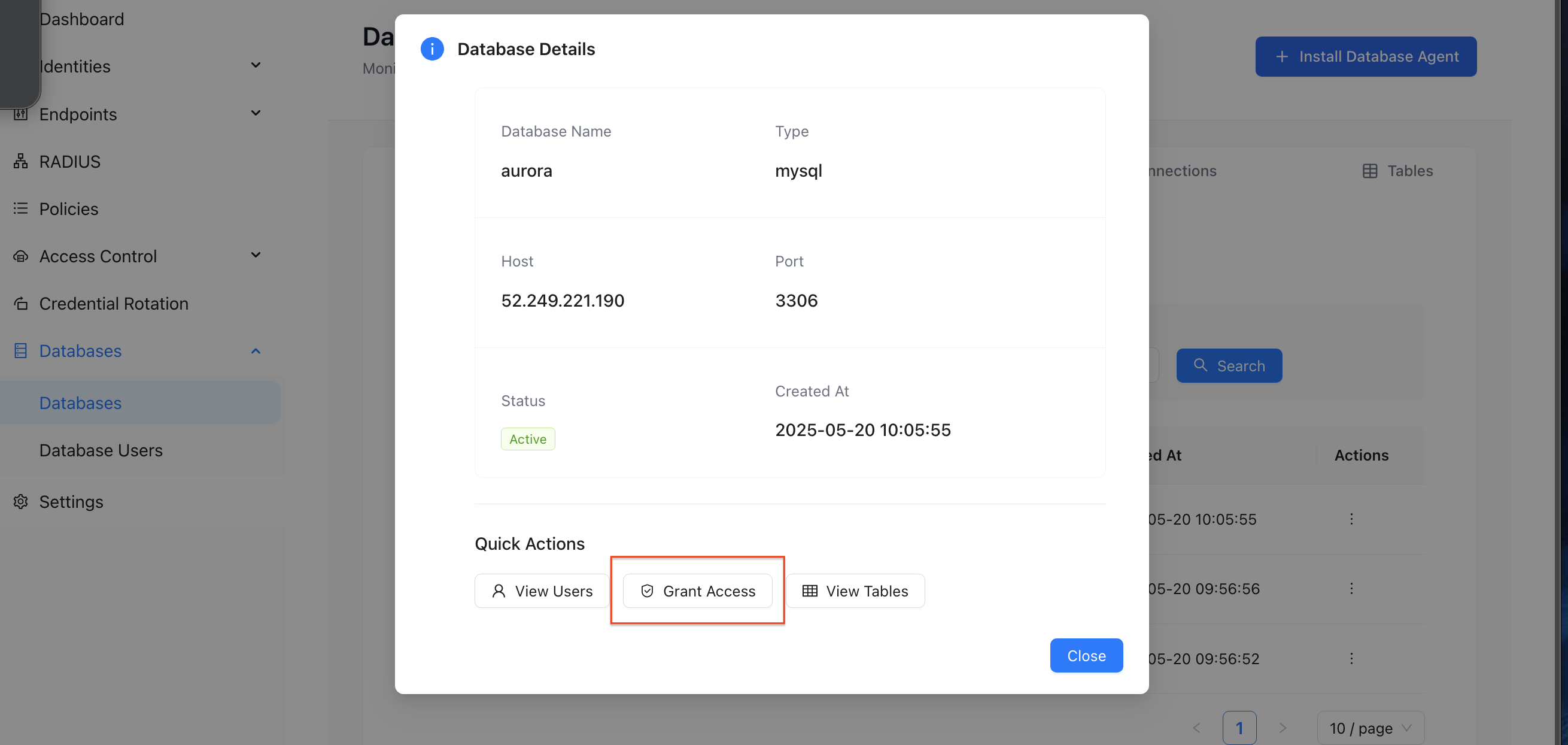
Policy Configuration Fields
Primary Information Tab
-
Policy Type
- Description: Category of resource the policy governs
- Selection: "Database Policy"
- Purpose: Ensures subsequent options are relevant to database security
-
Select IAM Users (Policy Subject - "Who")
- Description: IAM user(s) or group(s) to whom this policy applies
- Action: Choose identities recognized by Authnul
- Purpose: Links the policy to specific authenticated entities
-
Select Host (Target Resource - "Where")
- Description: Host machine with an Authnull Agent
- Action: Select from list of hosts with active agents
- Purpose: Narrows policy scope to databases managed by the agent
-
Select Database (Target Resource - "What")
- Description: Particular database instance on the selected host
- Action: Select from dropdown of discovered instances
- Purpose: Refines policy target to a single database
-
Database User (Native Database Identity)
- Description: Native database user account for ProxySQL connection
- Action: Select from pre-configured users or type new mapping
- Purpose: Abstracts IAM users from native database credentials
-
Select Tables (Granular Target Resource)
- Description: Specific tables/views within the database
- Action: Multi-select dropdown or checklist
- Purpose: Enforces Least Privilege
-
Privilege (Permissions Granted)
- Description: SQL operations permitted
- Action: Select from READ, WRITE, EXECUTE, etc.
- Purpose: Controls user interaction level with data
-
Fields to mask (Data Masking Configuration)
- Description: Columns to mask in query results
- Action: Enter column names to mask for each table
- Purpose: Protects sensitive data elements
Additional Policy Configuration Options
Policy Workflow
- Multi-stage approvals
- Notifications
- Review processes
Time-Bound Access
- Access restricted to specific days/hours
- Temporary access grants
- Scheduled access windows
Offline Access
- Rules for agent disconnection
- Cached policies
- Fallback behavior
Location Access
- Policies based on user's location
- Geographic restrictions
- IP-based access control
Network Access
- Source IP address/range restrictions
- Network-based policies
- VPN requirements
User Behavioral Analytics
- Integration with UBA
- Risk-based access
- Anomaly detection
Device Policies
- Access conditional on device posture
- Device compliance requirements
- Endpoint security integration
Policy Approval Workflow
Importance of Administrative Approval
- Governance: Ensures alignment with security standards
- Preventing Misconfiguration: Safeguards against excessive privileges
- Separation of Duties: Check and balance
- Audit Trail: Approval/rejection is part of the policy lifecycle
Reviewing Pending Policies
- Navigation: Go to "Policies" section
- Policy List: Shows policies with "Status" (e.g.,
Pending) - Review: Select pending policy to view full configuration
Policy Actions
-
Approve:
- Changes status to
Active/Allowed - Policy propagates to agents
- Takes effect immediately
- Changes status to
-
Reject:
- Changes status to
Rejected - Policy does not become active
- Requires new submission
- Changes status to
-
Cancel:
- Exits dialog without changing status
- Policy remains pending